What we shipped in October

Ben Orenstein · @r00k · November 2, 2026
We shipped 16 releases across macOS, Windows, and Linux in October. Much of it was under the hood, but here are the changes you can actually see and touch.
Per-person volume levels (macOS)
Is one person on your call too quiet, or way too loud? Now you can fix that. Open the … menu next to their name during a call and drag the Volume slider anywhere from 0% to 200%. Only you hear the change, and their row shows the level you set so you don’t forget. Tuple remembers it, too: the next time you’re on a call with them, they’ll be at the same level.
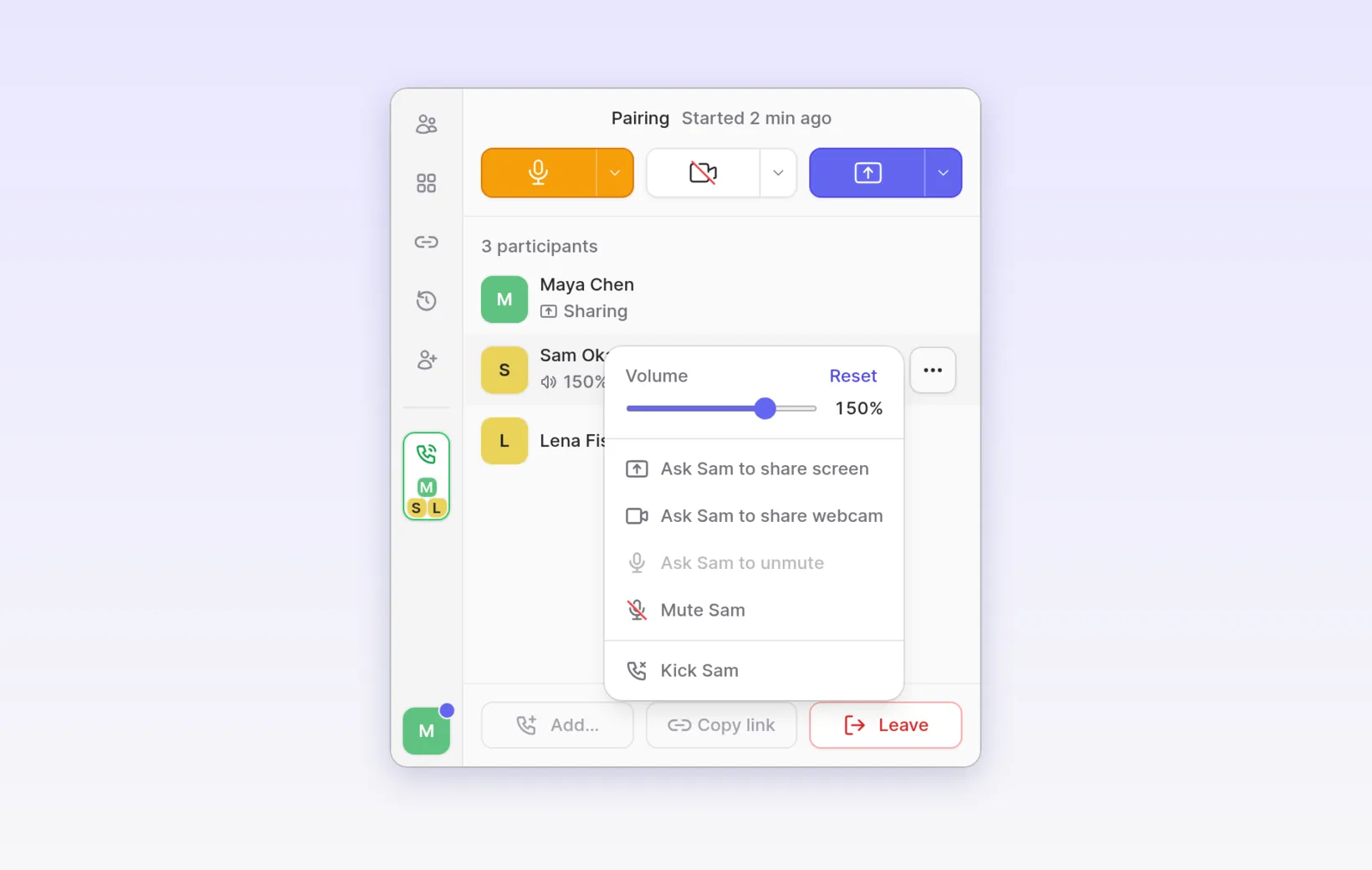
Docs: Adjusting someone’s volume
Remote control on Linux (Linux)
Guests can now control your screen when you share from Linux. It works on X11 and on Wayland compositors that support the wlroots virtual input protocols, such as sway, Hyprland, labwc, and river.
A fun detail for the curious: Tuple for Linux ships as a single static
binary, so instead of linking libwayland-client, it speaks the Wayland
wire protocol by hand and generates its own keyboard layout. That’s how a
guest on a German keyboard can type ü, ß, and the right z and y on your
machine.
Linux also got the same tuple CLI that ships on macOS and Windows. Some
commands changed, so check the
migration guide if you have
scripts.
Docs: Remote control on Linux
Faster, more accurate local transcription (macOS)
Capture now recommends NVIDIA’s Parakeet model for transcribing your calls on your Mac. For English and 24 other European languages, it’s more accurate than the Whisper model we used before, and roughly 15× faster. Whisper Turbo is still there for other languages, and if you already picked a model, we left it alone.
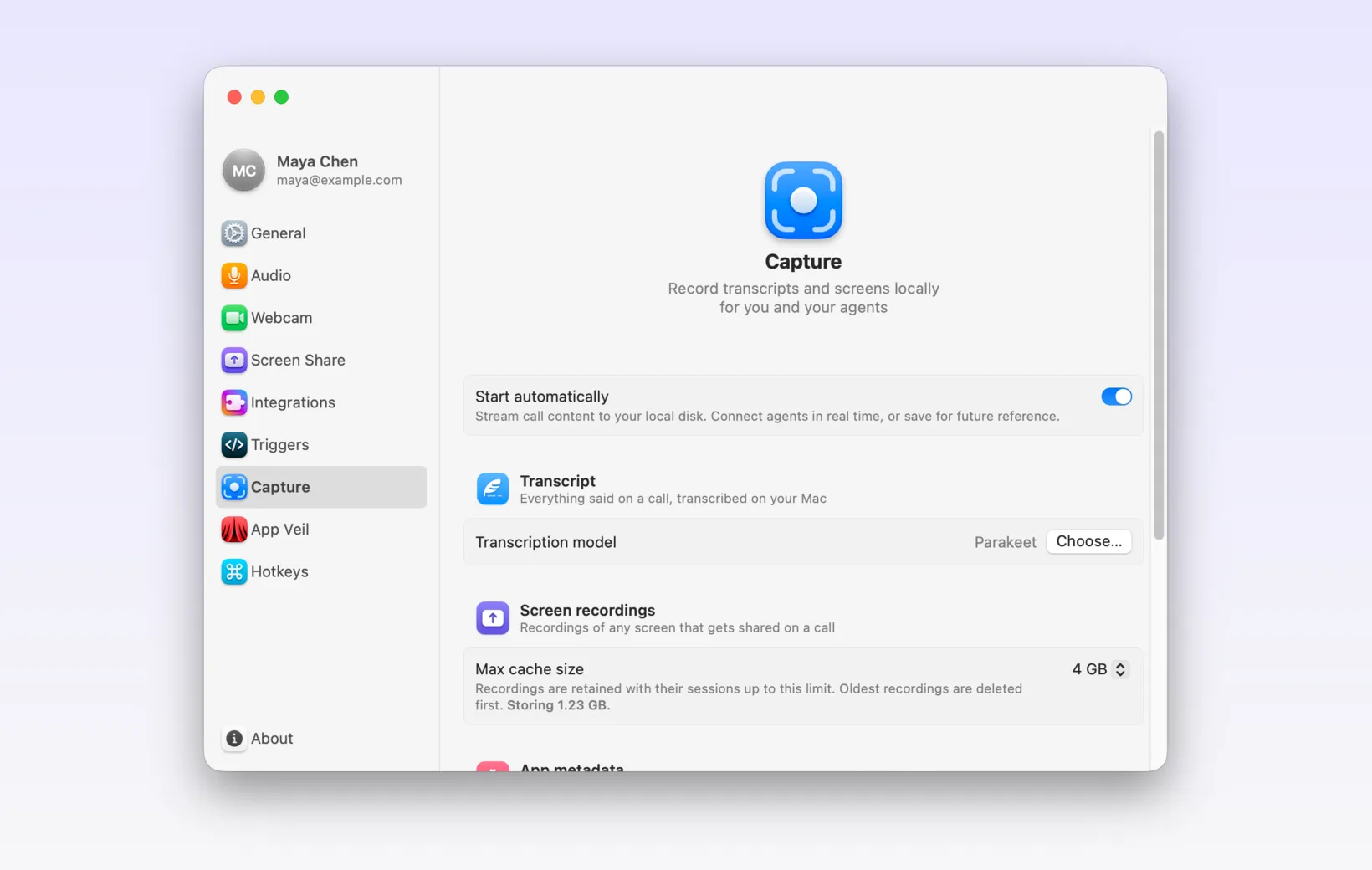
Docs: Choosing a transcription model
We also stopped asking whether to set up or start Capture at the start of calls.
A mic that adjusts itself (macOS)
Tuple will now raise or lower your microphone’s input volume when your speech is too quiet or too loud. It only steps in when your level is well outside the normal range, so the rest of the time you won’t notice it.
It’s on by default. To set your levels yourself, turn off Automatically adjust my microphone volume in Settings > Audio.
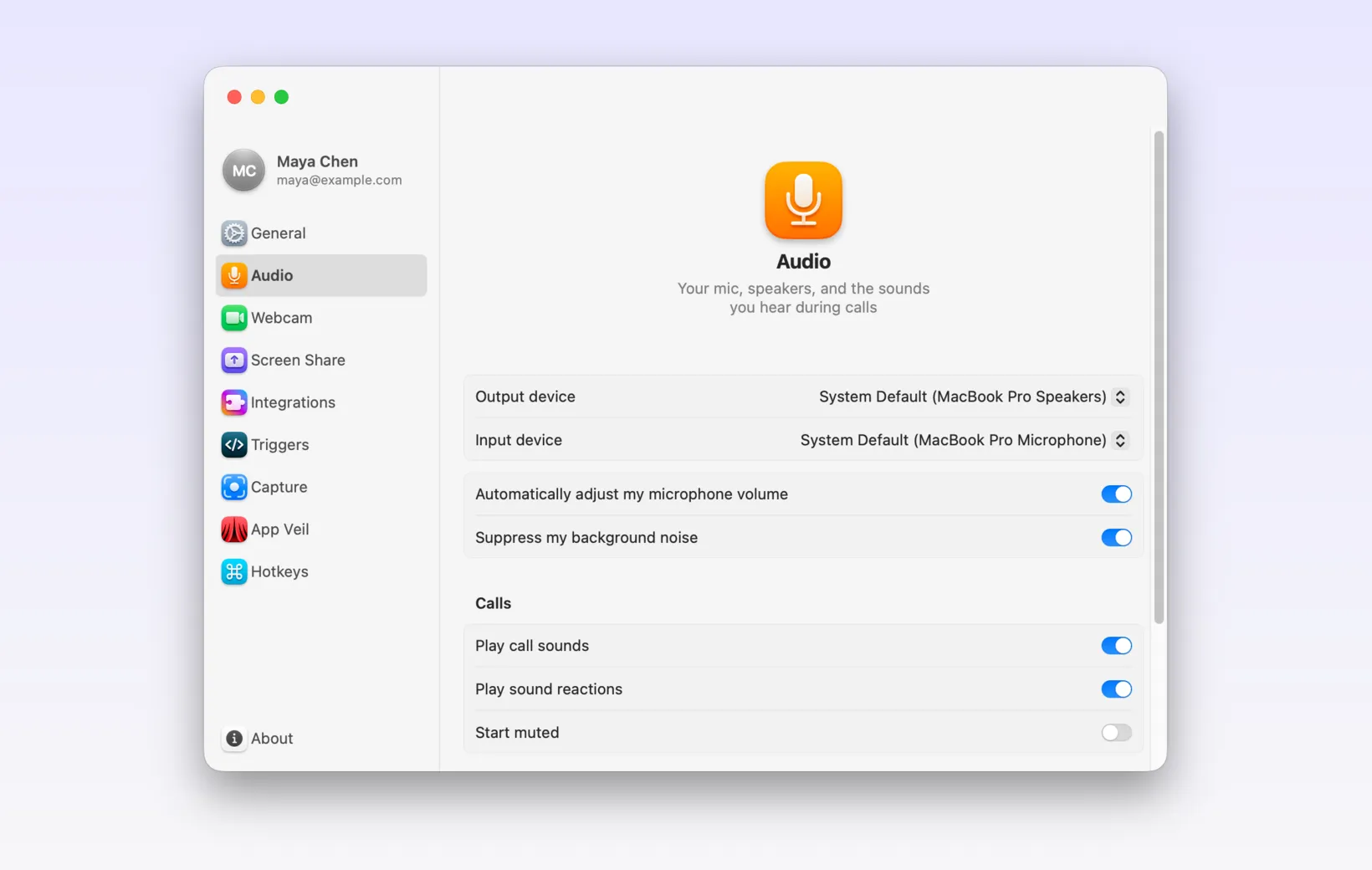
Docs: Audio settings
For team owners: webcams on by default (macOS)
If your team likes seeing faces, team owners can now turn on Webcam on by default in the Calls section of team settings. Members start calls with their webcam on, and see a preview before the camera goes live. Anyone can still turn it off for themselves.
Docs: Webcam settings
Sound reactions on Windows (Windows)
Air Horn, Fail Flute, and Sad Trombone have arrived on Windows. Find them in the new Sounds section of the reaction menu. If your pairing partner gets carried away, turn off Play sound reactions in Settings > Audio.
Something not working, or want something we haven’t built yet? Email feedback@tuple.app. We read every message.